 LootDock
Know what to buy and what to list it at
The Buy list shows the most to pay for each kind of item. Know your number tells you what to list an item at.
Open Buy list (in More). It ranks the kinds of items that have made you the most, from your own sales, with Pay up to: the most you can pay and still make the profit you set.
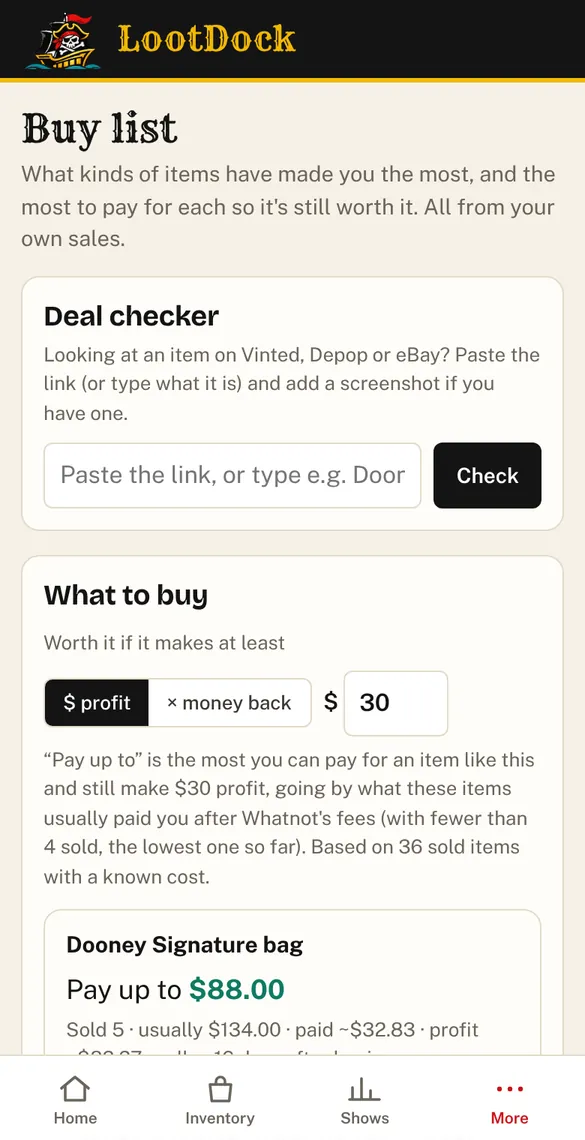
Change Worth it if it makes at least to your own target profit, and every Pay up to updates.
Looking at an item online? Paste its link in the Deal checker (or type what it is) and tap Check.
Already bought it? Open Know your number from Home, type what you paid and the profit you want. It shows what to list it at after Whatnot's fees, and where you break even.
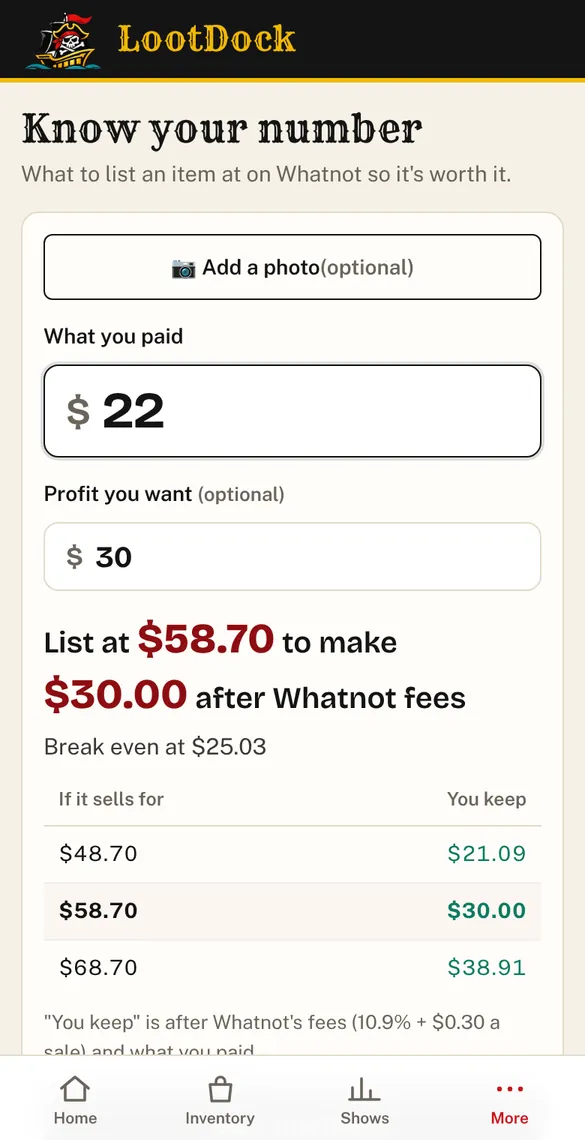
Tap Save this item to add it to your shelf with its cost.
Tip: The Buy list gets smarter as you sell. With only a few sales of a kind, it uses the lowest one so far to stay on the safe side.
Next: Your account: data, plan and signing out. Still stuck? Tap the round Help button in the corner of any LootDock screen to ask us, or see all help.
