 LootDock
Match a sale to its item
Link each Whatnot sale to the item it was, so LootDock knows your real profit on it.
Open Sales. A sale that still needs its item shows a Match an item button. (Tap Needs a match to see only those.)
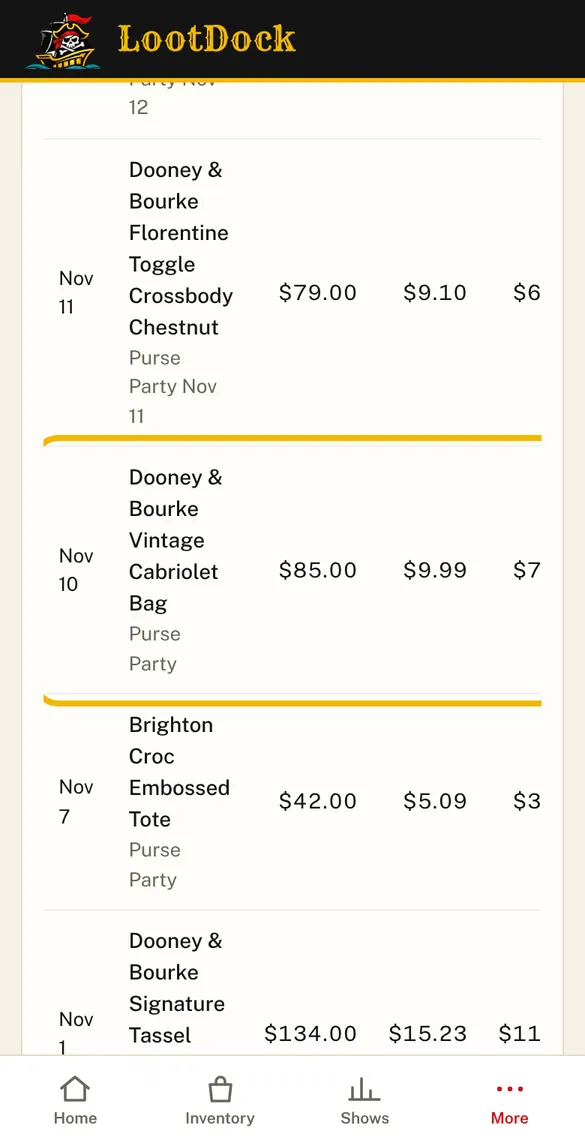
Tap Match an item. If the item has a tag, type its FL number and tap Go.
No tag handy? Search or browse Everything in stock below and tap the item.
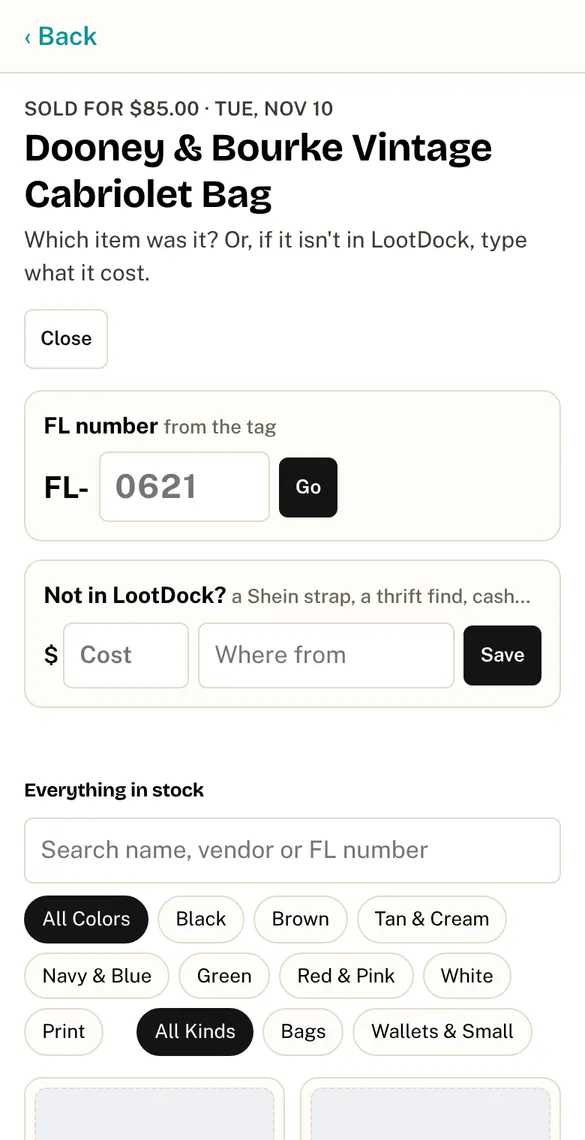
Sold something you never added (a cash buy, an extra strap)? Under Not in LootDock?, type what it cost and where it came from, then tap Save.
The sale now shows its cost and profit, and the item is marked sold. Matched the wrong one? Tap Change or Unlink on the sale.
Tip: Put the item's FL number in the Whatnot listing's SKU field and you will rarely need to match by hand.
Next: Count your shelf. Still stuck? Tap the round Help button in the corner of any LootDock screen to ask us, or see all help.
